Where have we left off? Oh right, from my last episode, I couldn’t decide which final project proposal should I go for. Well, In the end I just kind of merge them both in a one final project.
Drumroll please……….. incoming, “The Weather Loom”!
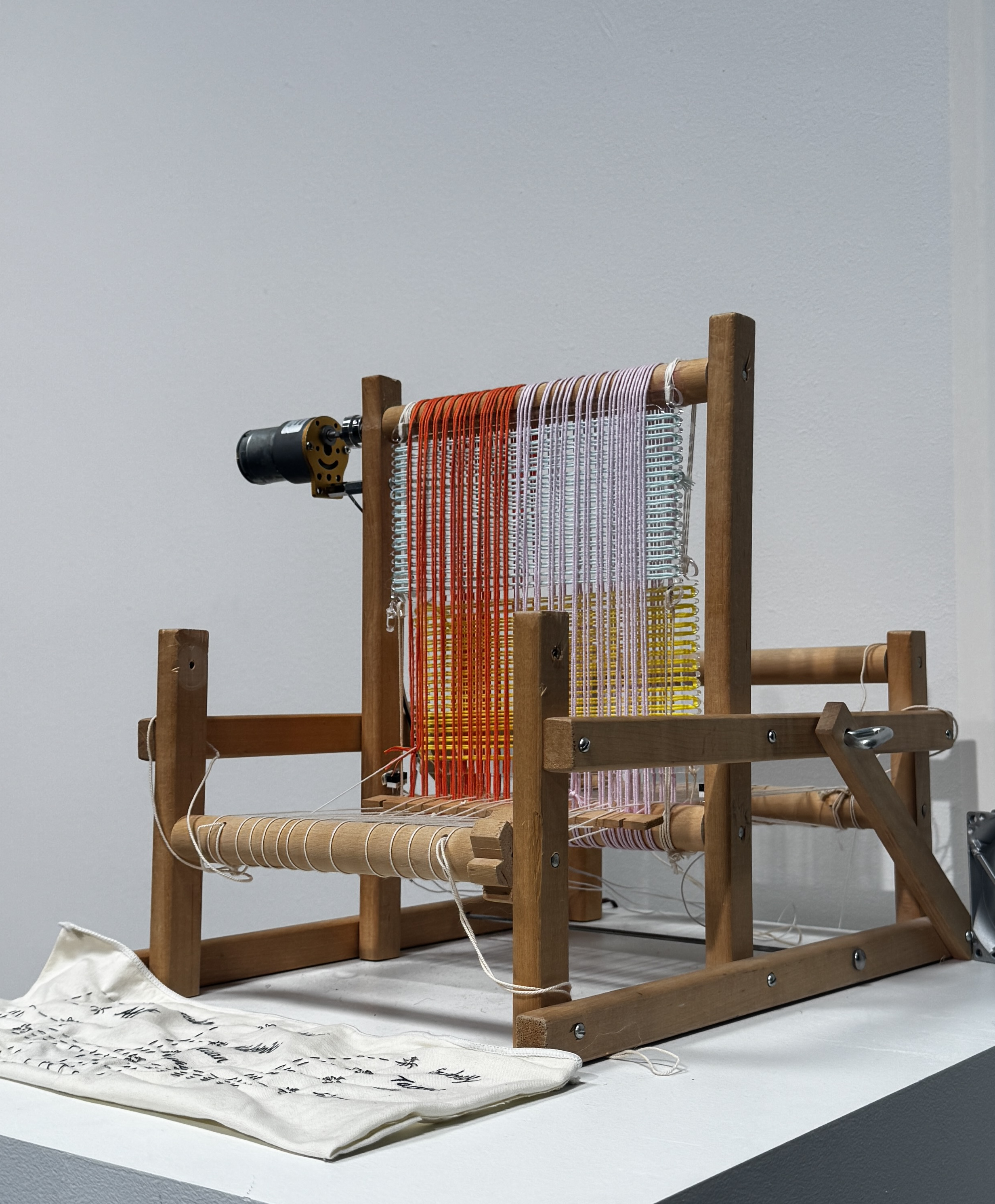
So I still maintain the idea of the missing of places and friends and connecting with them through weather but by a textile and craftsmanship approach.
My initial idea was to build a new mechanical tool that allow the weaving textile to move according to the weather API. The physicality of it is challenging because apparently this world have gravity, friction, force and what not, something that doesn’t come naturally to me when sketching the prototype. I almost gave up but later realized that I purchased an old weaving loom from recycling center in summer and I can ‘hack’ it in a way that serve my purpose.
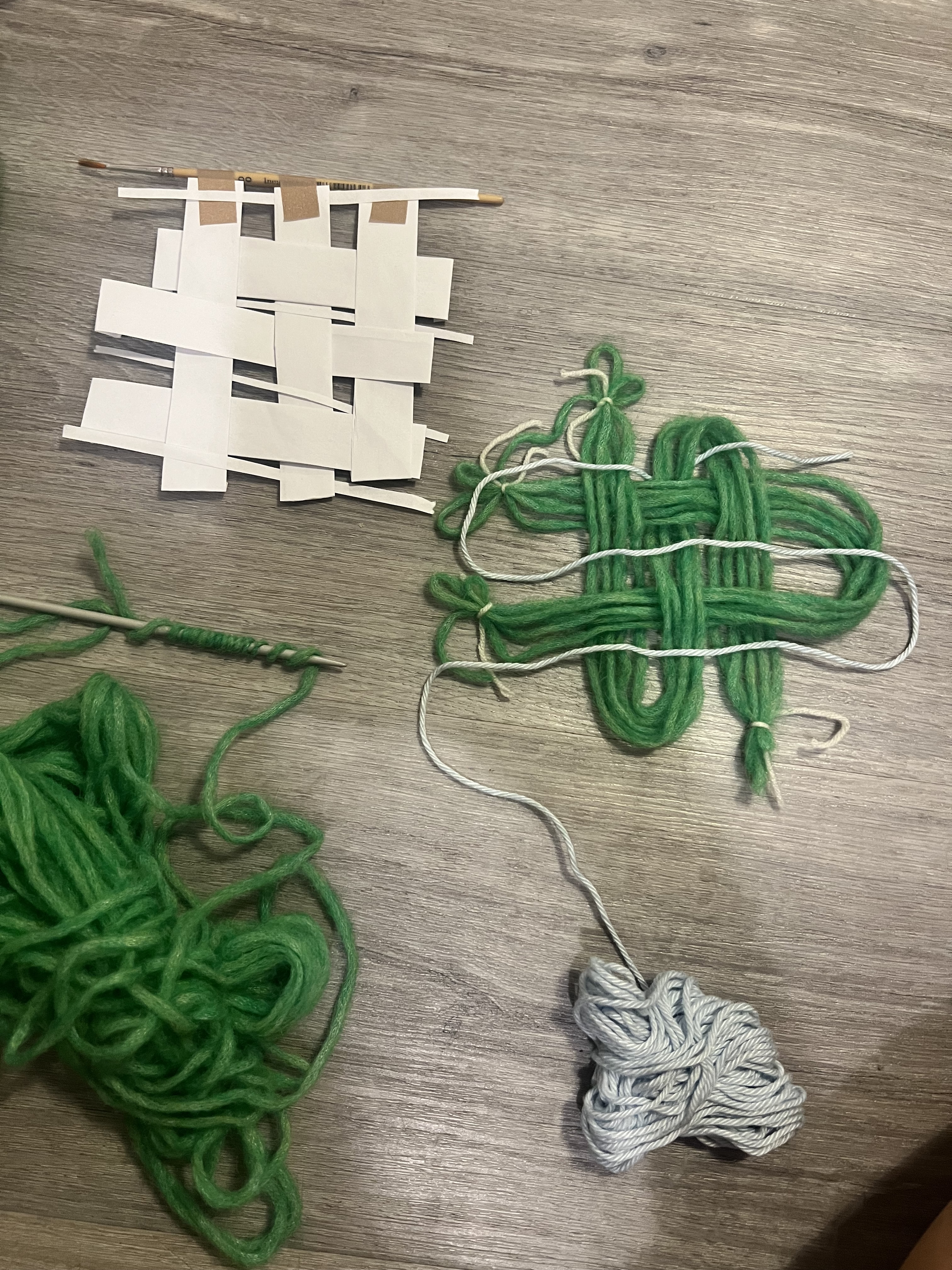
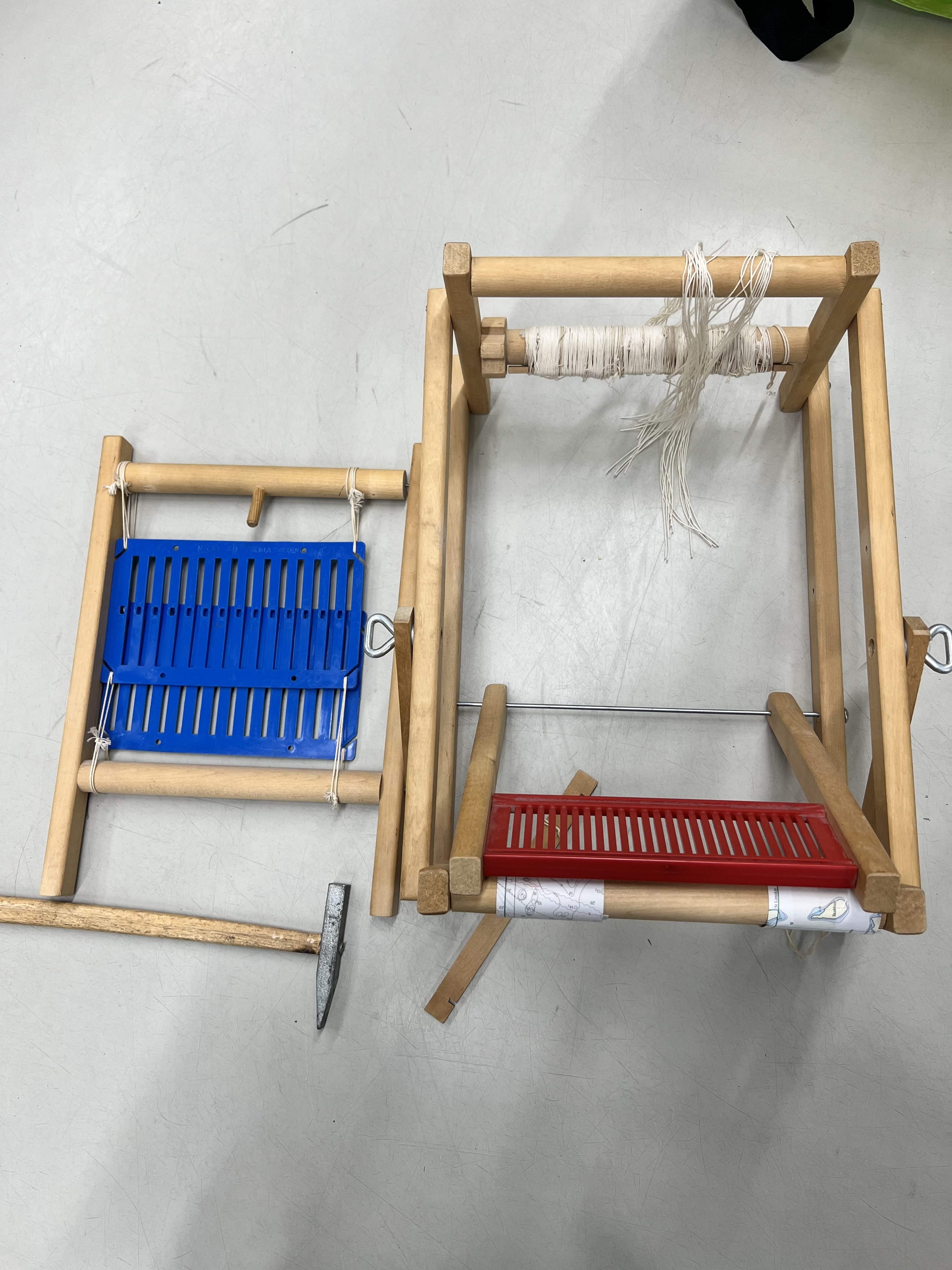
Then incoming the physical computing part. Software will betray you once in a while but Hardware will betray you every 5 minutes or so (that is probably because I just learn everything this class) so debugging sensor, port, connection, wifi, osc, etc. was a tug of war game. But I actually enjoy doing it in the end and I’m actually proud that I tried to debug and do most of the thing myself first and if it’s too hard to solve then I’ll blink twice for Matti to help. Here is the picture of Matti holding mini switch for me, we called this Matti’s torture machine.
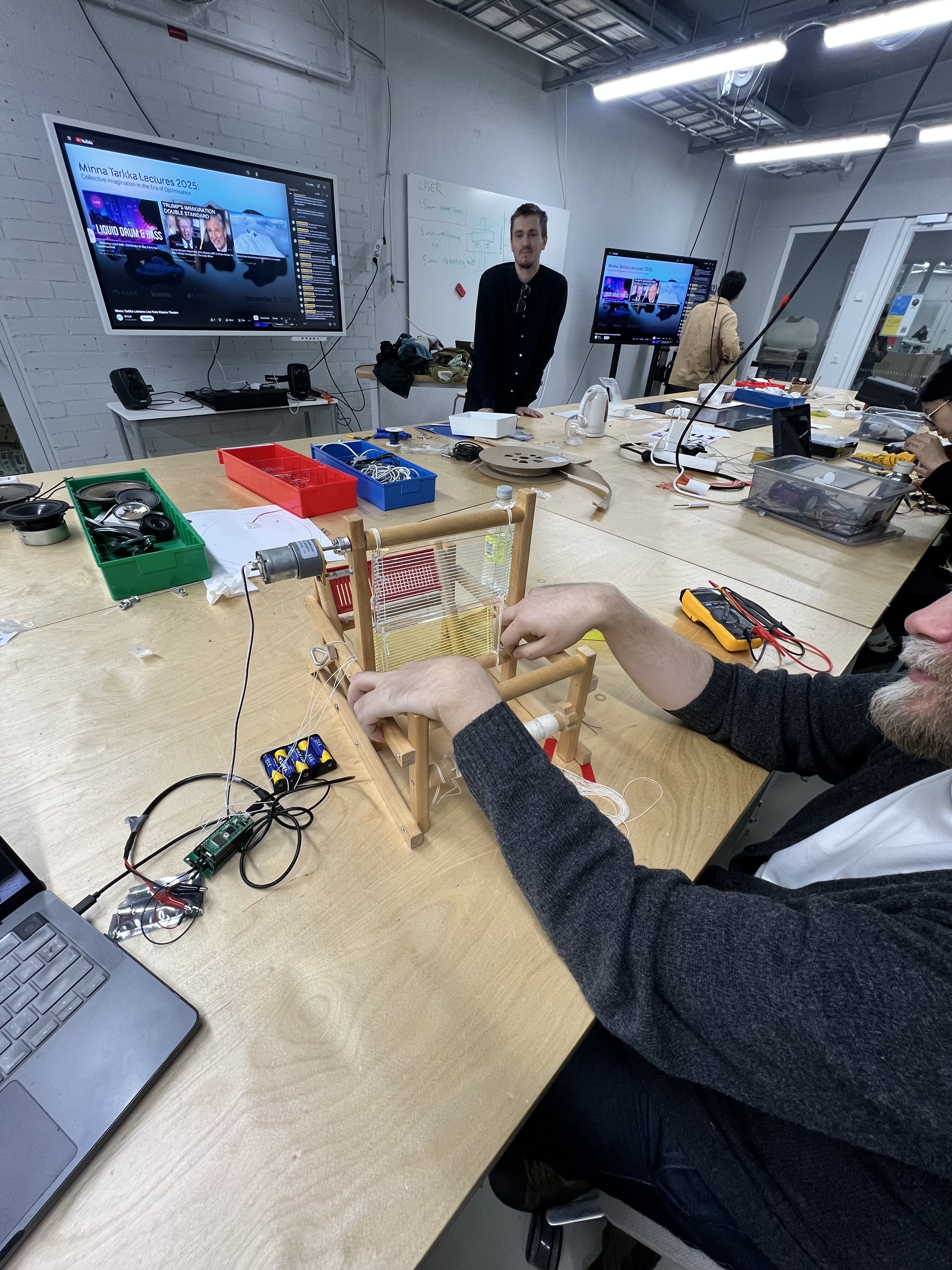
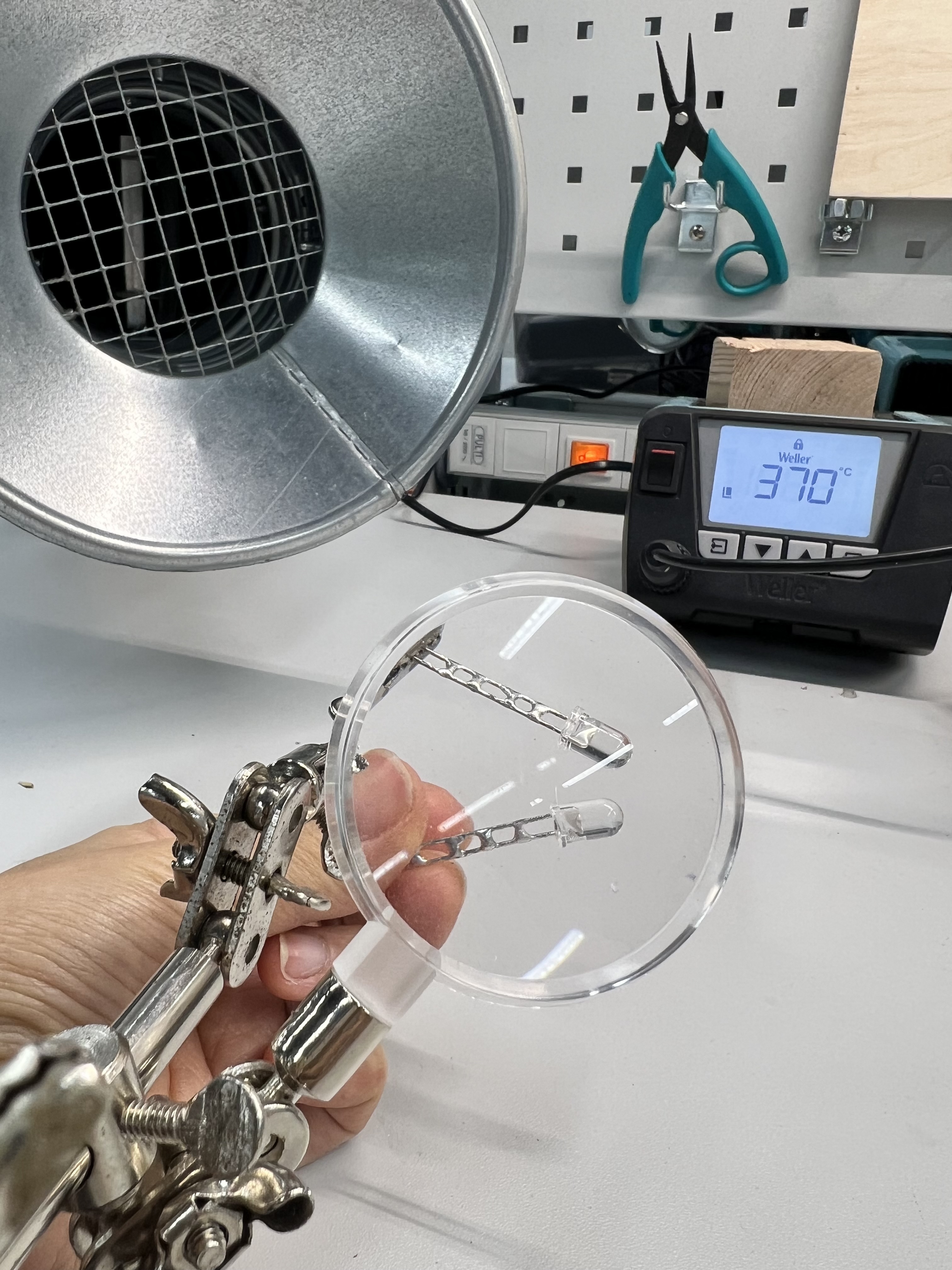
What’s with the switch? so when I fetched the data and know if it’s day or night and the wheel starting to rotate, something gotta stop it and say that’s enough cowboy! when it arrive at the right spot. I put the switches at the bottom, when it clicked, the wheel will stop spinning and if it’s the opposite time of the day then it will tell the wheel to spin to another direction. The switch and what to click with + when is also a challenge. In the end i made a clicker from LED lights that I soldered them together.
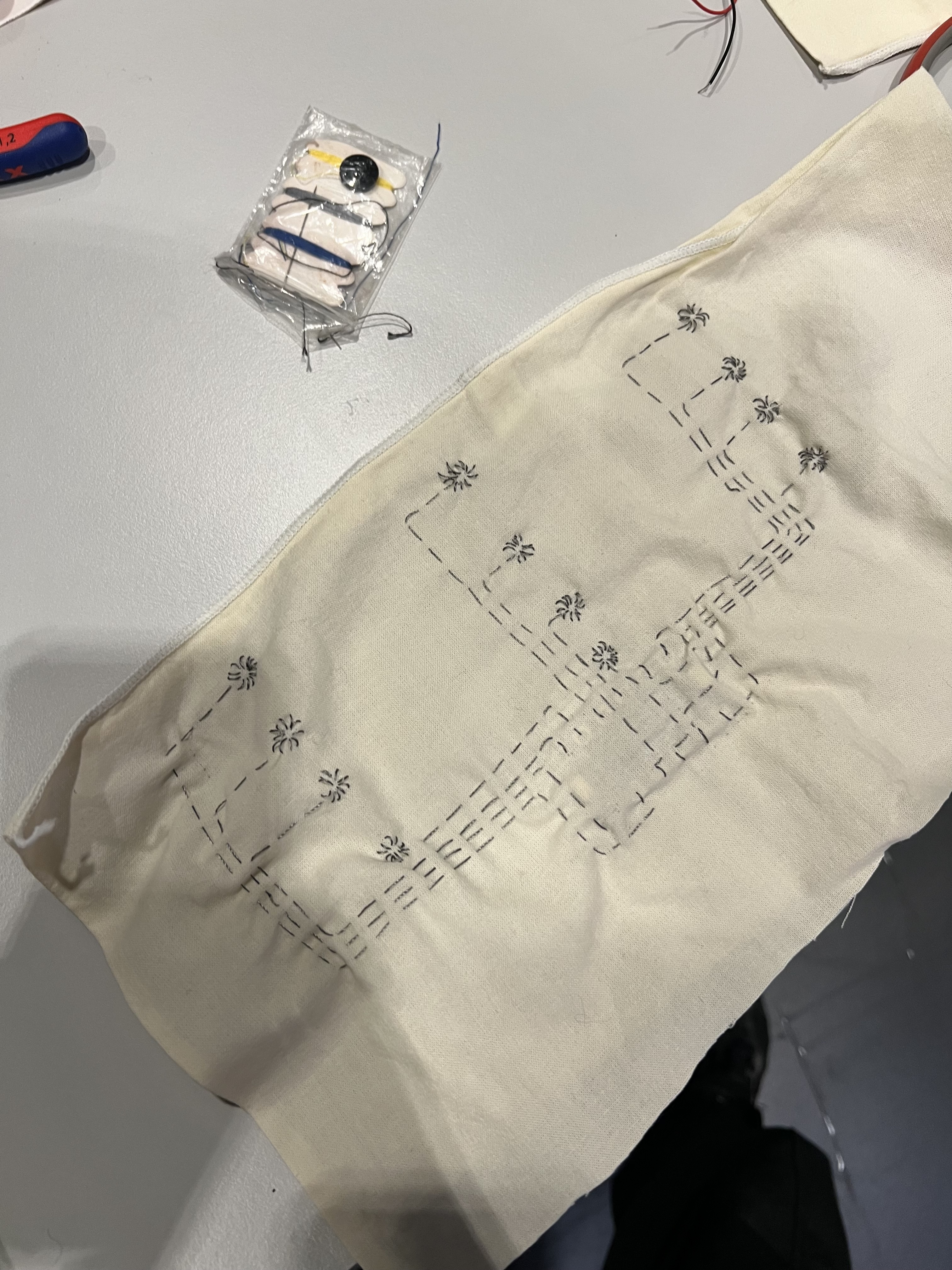
The next question is how would the interface be? I don’t want it to be so craft-inspired looking but hey! here are the buttons, knobs, and keyboard for you to tangle with, go nut kids! I want it to be the same look and narrative. so I made a textile keyboard (?) which comprised of Capacitive Touch Sensor to 12 possible pins and conductive yarn that I sewed it to the fabric. Each 12 pins will connect to each 12 cities that my friends live and it will use the designated string and use it as an inquiry through API key.
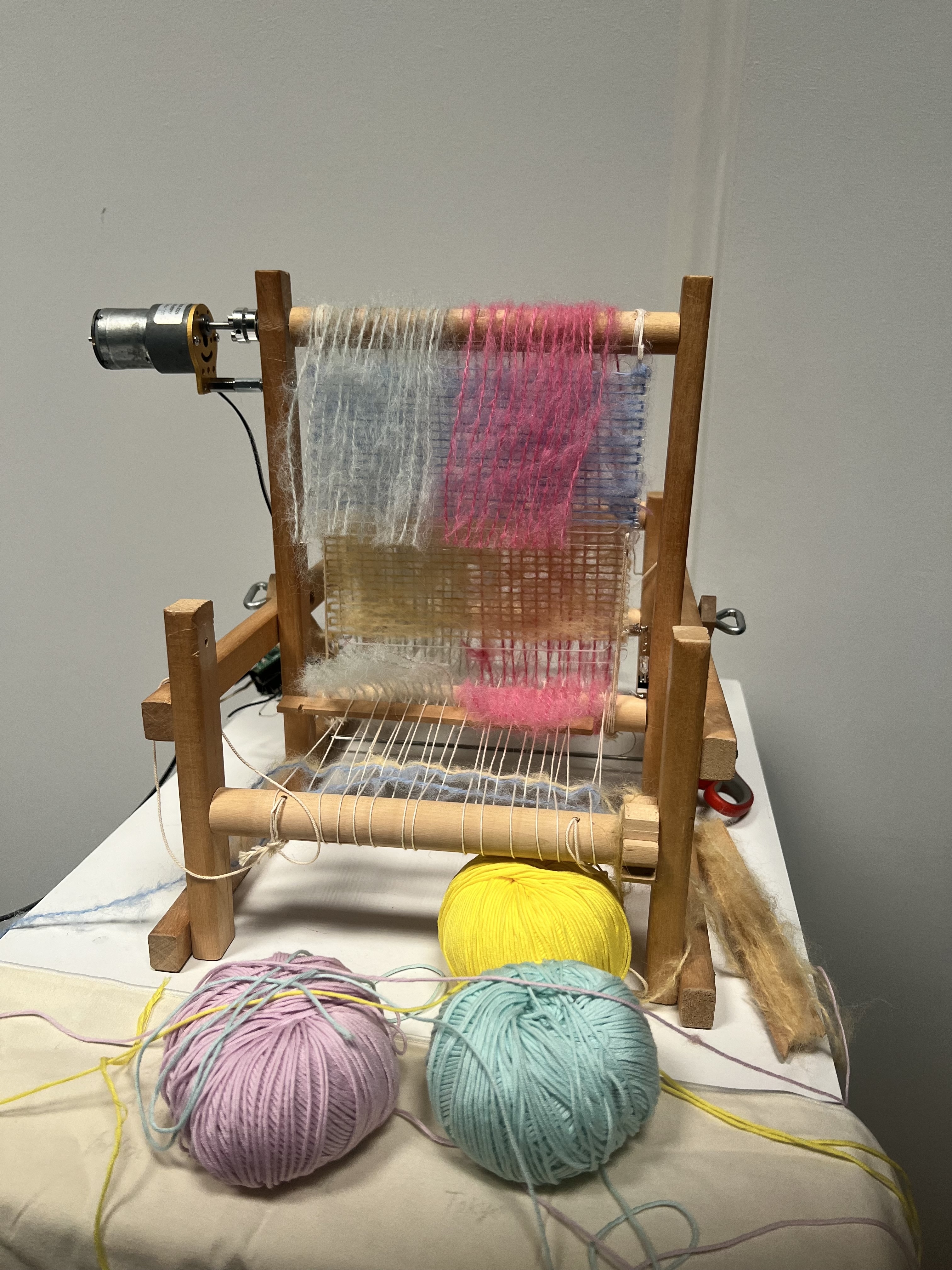
And then everyone have those moment where they think they are a genius and proud of themselves for a day to only realized it was all a dream the next day. This was me when an idea of a wind come up. WIND! Imagine feeling the same wind blow as your friends might experience right now, ooh cool! let’s get the fluffiest yarn ever to catch the wind from the fan, oh what a visual, Aren’t I the greatest ever (blah blah blah). Then when I wrapped it all together with those fluffy yarn……….NOPE, I hated it.
I couldn’t live with this visual and it will forever kept me up at night so I changed the whole thing to cotton yarn in the last hours before exhibition. Risky move, but a mandatory one!
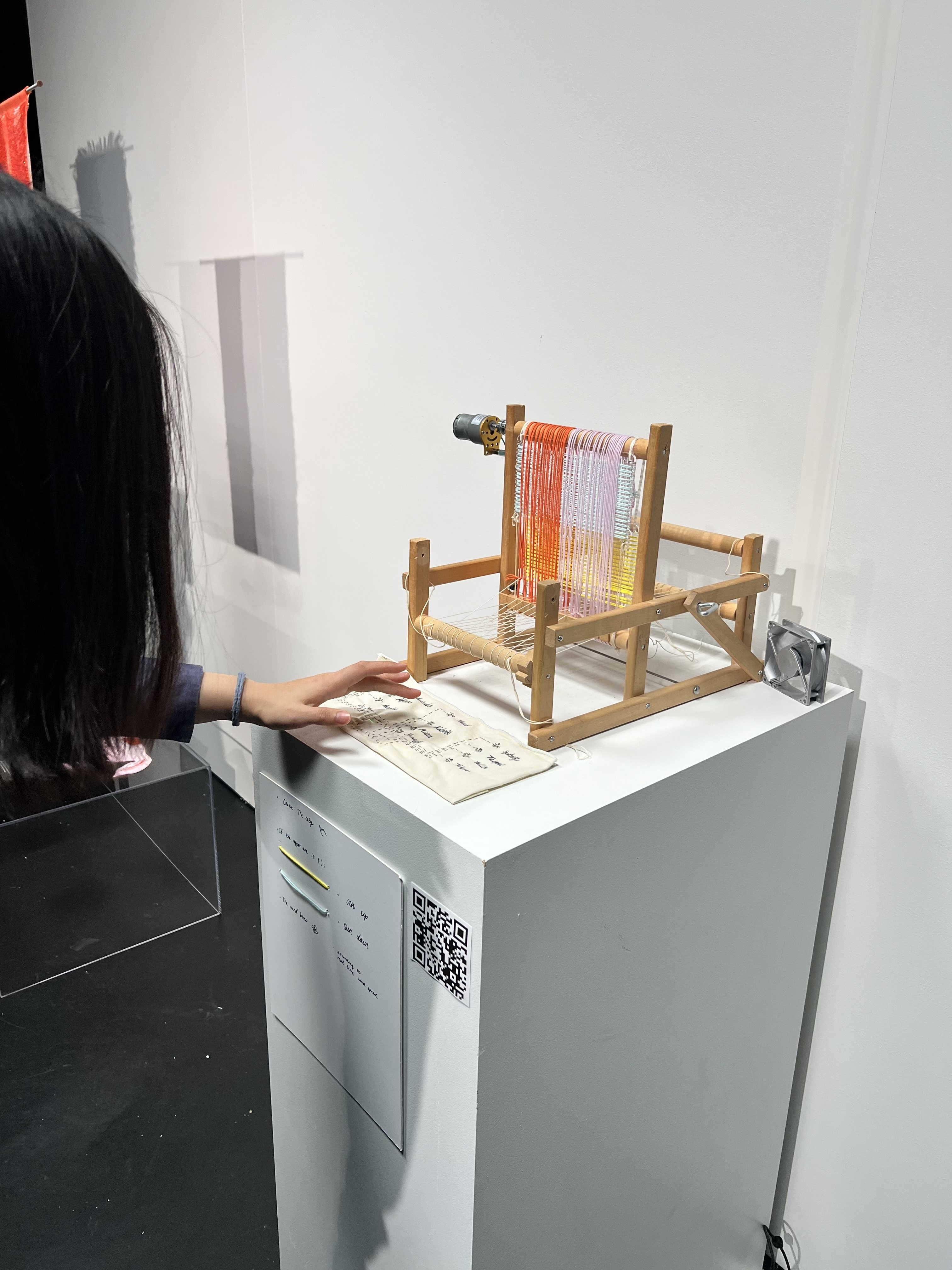
In short, the workflow is as follow
- Choose a city (where my friends live) to see and feel the weather.{“Amsterdam”, “Atlanta”, “Bangkok”, “Berlin”, “Hanoi”, “Helsinki”, “Michigan”, “Milan”, “Sydney”, “Taipei”, “Tallinn”, “Tokyo”};
- The loom will rotate the pattern (yellow side up if the sun still up (day time), blue side up if the sun has set (night time))
- the fan will blow the wind according to the real time wind speed at the moment at that specific city
- feel as if you are with that friend in that city right now…..
In the end, the equipment is comprised of
- arduino pico 2w
- SparkFun Qwiic OLED (did not use in the end actually)
- Adafruit MPR121 12-Key Capacitive Touch Sensor
- fan motor
- dc motor
- API key to openweathermap
- Conductive yarn
- LED, wire, yarns, mini switches, little electric parts here and there
Here is the Final Arduino code
// include OSC library
#include <ArduinoOSCWiFi.h>
#include <SparkFun_Qwiic_OLED.h>
#include <res/qw_fnt_8x16.h>
#include <Wire.h>
#include "Adafruit_MPR121.h"
#ifndef _BV
#define _BV(bit) (1 << (bit))
#endif


Adafruit_MPR121 cap = Adafruit_MPR121();
QwiicNarrowOLED myOLED;

uint16_t lasttouched = 0;
uint16_t currtouched = 0;
int btnState0 = 1;
int btnState1 = 1;
int speed1 = 200;
float speed2;
int sunrise = 0;
int where[] = { 0, 0, 0, 0, 0, 0, 0, 0, 0, 0, 0, 0};
int currentCity;
// String message = "Hello";

// WiFi stuff

// const char* ssid = "Sinephone";
// const char* pwd = "sine12345";

const char* ssid = "Matti";
const char* pwd = "12345678";

// for ArduinoOSC
// The IP address below is the IP of the device sending the control signal to your robot (computer, phone etc.)
const char* host = "172.20.10.11";
// port for receiving data
const int recv_port = 12345;
// port for sending
const int publish_port = 54321;

// receive variable
String location = "default";
bool day = true;
float wind ;
String dayword = "";

void setup() {
  // put your setup code here, to run once:
  Serial.begin(115200);
  pinMode(2, OUTPUT);
  pinMode(3, OUTPUT);
  pinMode(6, OUTPUT);
  pinMode(7, OUTPUT);
  pinMode(0, INPUT_PULLUP);
  pinMode(1, INPUT_PULLUP);
  analogWrite(2, 0);
  analogWrite(3, 0);
  analogWrite(6, 0);
  analogWrite(7, 0);
/*
  Wire.begin();
      if (myOLED.begin() == false)
    {
        Serial.println("Device begin failed. Freezing...");
        while (true)
            ;
    }
    Serial.println("Begin success");

  myOLED.setFont(&QW_FONT_8X16);

    while (!Serial) { // needed to keep leonardo/micro from starting too fast!
    delay(10);
  }
  */

  Serial.println("Adafruit MPR121 Capacitive Touch sensor test");
  if (!cap.begin(0x5A)) {
    Serial.println("MPR121 not found, check wiring?");
    while (1);
  }
  Serial.println("MPR121 found!");

  Serial.println("Running auto configuration.");
  cap.setAutoconfig(true);
  Serial.println("Initialization complete.");
  // WiFi ------------------>
  // WiFi stuff (no timeout setting for WiFi)
  WiFi.mode(WIFI_STA);
  // delay(2000);
  // Connect to the WiFi network
  WiFi.begin(ssid, pwd);

while (WiFi.status() != WL_CONNECTED) {
 Serial.print(".");
 delay(500);
}

  Serial.print("WiFi connected, IP = ");
  Serial.println(WiFi.localIP());

  OscWiFi.publish(host, publish_port, "/where", currentCity)
  ->setFrameRate(60.f);
  // subscribe to receive osc messages that control the loom
  OscWiFi.subscribe(recv_port, "/loom",
                    [](const OscMessage& m) {
                      Serial.print(m.remoteIP());
                      Serial.print(" ");
                      Serial.print(m.remotePort());
                      Serial.print(" ");
                      Serial.print(m.size());
                      Serial.print(" ");
                      Serial.print(m.address());
                      Serial.print(" ");
                      Serial.print(m.arg<String>(0));
                      Serial.println();
                      Serial.print(m.arg<bool>(1));
                      Serial.println();
                      // take the first value in the message (that should be an int).
                      location = m.arg<String>(0);
                      day = m.arg<bool>(1);
                      wind = m.arg<float>(2);
                      //false = 0, true = 1
                      if (day == 0) {
                        dayword = "false";
                      } else if (day == 1) {
                        dayword = "true";
                      }
                    });
    //myOLED.begin();

}


void loop() {
  currtouched = cap.touched();
  //Serial.println(currtouched);
  for (uint8_t i=0; i<12; i++) {
    // it if *is* touched and *wasnt* touched before, alert!
    if ((currtouched & _BV(i)) && !(lasttouched & _BV(i)) ) {
      Serial.print(i); Serial.println(" touched");
      where[i] = 1;
    }
    // if it *was* touched and now *isnt*, alert!
    if (!(currtouched & _BV(i)) && (lasttouched & _BV(i)) ) {
      Serial.print(i); Serial.println(" released");
      where[i] = 0;
    }
  }
  for (int i=0; i<12; i++){
    if(where[i] == 1){
      currentCity = i;
      break;
    }
  }
  lasttouched = currtouched;

  OscWiFi.update();
  btnState0 = digitalRead(0);
  btnState1 = digitalRead(1);
  speed2 = (wind * 100);

  // Serial.print("Button state: ");
  // Serial.println(btnState2);
  /*
  Serial.print("\n City: ");
  Serial.print(location);
  Serial.print("\n day: ");
  Serial.print(dayword);

  //Serial.print(btnState0);
  //Serial.print(btnState1);
  Serial.print("\n wind: ");
  Serial.print(wind);
  Serial.print("\n speed2: ");
  Serial.print(speed2);
  */

  if (day == false) {
    if(btnState0 == 0){
      analogWrite(2, 0);
      analogWrite(3, 0);
    }else if (btnState0 == 1){
      analogWrite(2, speed1);
      analogWrite(3, 0);
    }
  } else if (day == true) {
    if(btnState1 == 0){
      analogWrite(2, 0);
      analogWrite(3, 0);
    }else if (btnState1 == 1){
      analogWrite(2, 0);
      analogWrite(3, speed1);
    }

    analogWrite(6, 0);
    analogWrite(7, speed2);
  }
  // 1 is off 0 is on
  delay(100);
  /*
      // starting x position - screen width minus string width  / 2
  int x0 = (myOLED.getWidth() - myOLED.getStringWidth(location)) / 2;
    // starting y position - screen height minus string height / 2
  int y0 = (myOLED.getHeight() - myOLED.getStringHeight(location)) / 2;
      // Draw the text - color of black (0)
  myOLED.text(x0, y0, location);

    // There's nothing on the screen yet - Now send the graphics to the device
  myOLED.display();
   */

}
Here is the Final Processing code
import oscP5.*;
import netP5.*;

OscP5 oscP5;
NetAddress myRemoteLocation;
String city = "";
String prevcity = "";
JSONObject weather;
boolean day;

//String [] citysine_friend = {Chihiro, MyGang, Family, Kat, Hana, Lola, Matti, Kelly};
String [] cities = {"Amsterdam", "Atlanta", "Bangkok", "Berlin", "Hanoi", "Helsinki", "Michigan", "Milan", "Sydney", "Taipei", "Tallinn", "Tokyo"};
//HashMap<String, String> friendCity = new HashMap<String, String>();
//HashMap<int, String> currentCity = new HashMap<String, String>();
int currentCity = 0;
String apiKey = ""; //add your api key
String url = "https://api.openweathermap.org/data/2.5/weather?q="
                + cities[currentCity] + "&appid=" + apiKey + "&units=metric";

void setup() {
   size(600, 400);
/*
  friendCity.put("Chihiro", "Tokyo");
  friendCity.put("Kat", "Tallinn");
  friendCity.put("MyGang", "Bangkok");
  friendCity.put("Family", "Paris");
  friendCity.put("Hana", "Durham");
  friendCity.put("Lola", "Atlanta");
  friendCity.put("Kelly", "Boston");
  friendCity.put("Matti", "Helsinki");
  */
  /* start oscP5, listening for incoming messages at port 55556 */
  oscP5 = new OscP5(this, 54321);
  //String city = friendCity.get("Lola");

  weather = loadJSONObject(url);   // Loads JSON from the URL


  /* myRemoteLocation is a NetAddress. a NetAddress takes 2 parameters,
   * an ip address and a port number. myRemoteLocation is used as parameter in
   * oscP5.send() when sending osc packets to another computer, device,
   * application.
   */
  myRemoteLocation = new NetAddress("172.20.10.12", 12345);
}


void draw() {
  background(0);

  if (weather != null) {

    float temp = weather.getJSONObject("main").getFloat("temp");
    int sunrise = weather.getJSONObject("sys").getInt("sunrise");
    int sunset = weather.getJSONObject("sys").getInt("sunset");
    String location = weather.getString("name");
    int timestamp = weather.getInt("dt");
    float wind = weather.getJSONObject("wind").getFloat("speed");

    if (timestamp > sunset){
      day = false;
    }else if (timestamp < sunset){
      day = true;
    }

    textSize(24);
    fill(255);

    text("City: " + location, 20, 100);
    text("Temperature: " + temp + " °C", 20, 60);
    text("Sunrise: " + sunrise, 20, 140);
    text("Sunset: " + sunset, 20, 180);
    text("Day: " + day, 20, 220);
    text("Wind: " + wind, 20, 260);

    //if(city!=prevcity){
    OscMessage myMessage;
    myMessage = new OscMessage("/loom");
    myMessage.add(location);
    myMessage.add(day);
    myMessage.add(wind);
    oscP5.send(myMessage, myRemoteLocation);
    //}
  }
  prevcity=city;
}

/* incoming osc message are forwarded to the oscEvent method. */
void oscEvent(OscMessage theOscMessage) {

  //print("### received an osc message.");
  //print(" addrpattern: "+theOscMessage.addrPattern());
  //println(" typetag: "+theOscMessage.typetag());
  if(theOscMessage.checkAddrPattern("/where")){
    //println("got distance");
    currentCity = theOscMessage.get(0).intValue();
    println("city: " + currentCity);
    url = "https://api.openweathermap.org/data/2.5/weather?q="
                + cities[currentCity] + "&appid=" + apiKey + "&units=metric";
    weather = loadJSONObject(url);
  }
}
My description:
Weather Loom is a medium I keep connected to my friends from around the world. Derived from ‘ผ้าขาวม้า’ or ‘pa-kow-ma’, a common textile pattern for Thai people daily life. Having physical data made it easier for me to visualize what the weather that my friends live in right now and perhaps experience more than digital data visualization but a tangible, interpretable through a craftsmanship and culturally embedded approach.
Reflection on the things I learned.
This turns out to be one of the class that i learnt most. Although my work was not so technically advanced, it was rather basic and simple, but I really take time to understand and solve things on my own. I would like to say I appreciate Matti of making things simple, easy, and fun to learn, i couldn’t imagine myself doing it on my own initiative, it look too intimidating to even start from afar. Then i would also want to mention our classmates as well. Everyone really taking the effort to learn and raise the bar, and that really push me to higher the standard of my work as well. It was also really important to struggle in the same pace as others, so it feels like im not stupid or alone, we just kinda help each other. I remember I talked to Oskar about his challenges at the time, something that could be instantly asked Chatgpt but he said he doesn’t want to do that, he want to try solving on his own to which i really get inspired and started to do that myself as well. It took me 2 whole day to debug the wifi connection between arduino and processing, which in the class when following matti, it was no more than 10 minutes. I was really committed in trying to make it work and understand it to some extent on my own. It felt like a waste of time but i ended up remember how to do it and can do it myself next time (or at least less struggle?) and i admittedly seek a lot of help from matti in the earlier classes from my first year, and i wanted to change my approach this time. To see that he is also searching things up and learn on the go not just some wizard that know everything by heart encourage me to do the same as well. I like the excercise when he just gave us many sensors to tangle with and an instruction online and let us figure out on our own. It felt like an icebreaker, because all of those components look intimidating but once you actually try it it was much more fun and simpler than it look and it lay a good practice of you having to try things around and let the possibilities of what can we creatively use come to you as well.
This was an unexpected outcome, I weirdly now like soldering, arduino, sensor stuff but ok maybe not the mechanical stuff that require precision like cutting wood/ attached motors, drilling etc. my spontaneous and wing-it nature haven’t grow a fond of it just yet. (Maybe in the future) that is another challenge i experienced, the physics and mechanical stuff. Because things work perfectly in my head but in reality there are a lot of things that can go wrong, the hardware can be hard to know what was wrong with it sometimes (you have to unplug, plug again, change port, change the battery, change some details that it so minor but cause everything to go down) then you also have to take in account of all the forces in the world (gravity, friction, frequency, angle, durability (ok the last 2 were not forces) and what not) working digitally and physically require different approaches and things you have to consider. But all in all, this was a surprise finding for me and i want to do more of physical computing in the future (i have so many ideas already xD)
My most common mistake and how to fix them + my learning lesson
-
exit status 1 error (change port, reset button, hold another button and change port again then also change port digitally in arduino as well)
-
Wifi not connected (the wifi name gotta have no weird symbol like ‘, “ and sometimes changing the password is kinda a reset button and help sometime)
-
Details matter (so annoying) the different voltage or the one line of code that you need to change matters, but theres no how to fix it on this one. U just got to f around and find out
-
Hammer things neatly, the screw can bent and ruin the whole mechanical movement
-
Wear gloves and use proper tool, dont be scared by the look of the drill, machine and such. It was actually much faster and safer than u do it with a wacky hammer (i learned it the hard way)
-
Plan your circuit design before sewing it! A wing-it nature bite me on this one, the textile keyboard could have looked better, nicer, and less glitchy only if i plan it through first
-
Things will go wrong and that’s ok. If you really cant fix it and on a time crunch you just got to kill your baby (initial idea) and adapt along the way. My wing-it nature finally has its pros
-
Learning slowly will kill your patience and make you self doubt but its much more rewarding in the end (this learning point is only apply in this context, its not always true, this is case by case😂)
-
Everyone is their own biggest critics and we can help each other, everyone is so talented and create good work but we all in the is it actually good? State. Its so nice to see how we all try to help each other and giving nice ideas 💡
Lastly, i got this reminder word for me (note* for ME and me only) that i picked up from this class ‘do i wanna excel in class or do i wanna learn’ sure, i can do so much more by using every chatgpt output or ask matti to help solve every challenge i face but am i learning? What then, am i actually here for.