Hi This is my first week’s homework.
🤔 At the beginning, I faced some problems with logic understanding, I initially thought that buttons in Arduino/Rasperry Pi circuits worked the same way as buttons in physical circuits- that they should control whether the circuit is closed. However, when I applied the same logic to the homework, I realized it didn’t work. So I search online to understand how buttons are actually used in Arduino.
I learned that the Button is used to detect the voltage differences through the input pin, which then controls whether other pins output voltage. I also tried to understand the principle of Pull_up resistors and Pull_down resistors.
When I start coding after connecting the circult, I first count only when the button was High, then I noticed that the LED light kept shinning after I pressed the button for the first-time. After reading some materials, I learned that I need to set another variable to record the state aftering the button is pressed. It worked normally after I added the variable “LastButtonState”, which equals the Button’s value after each loop.
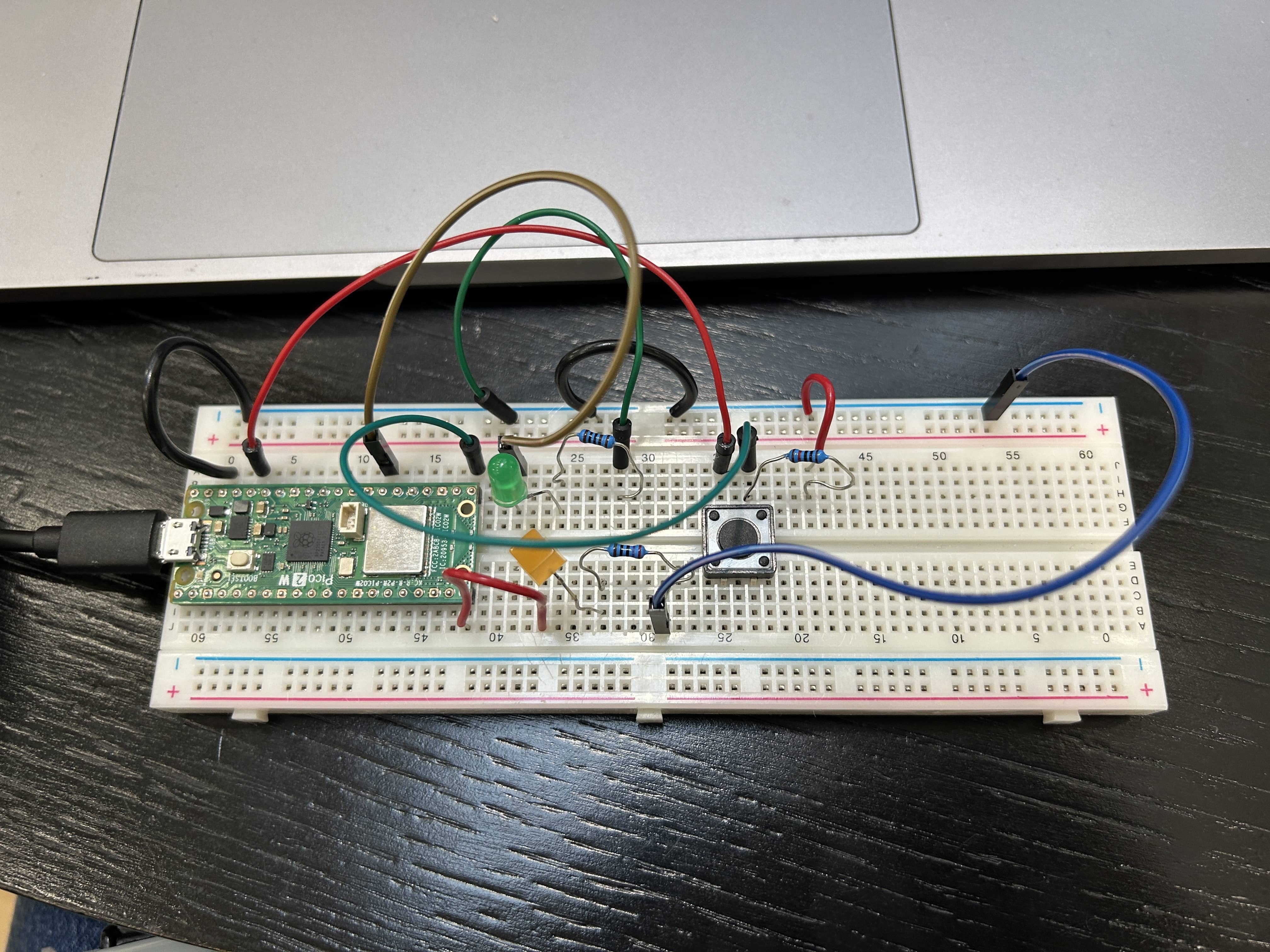
My code #
int button;
int light;
int lastButtonState;
int i=0;

void setup(){
pinMode(16,INPUT);//button
pinMode(15,OUTPUT);//yellow led
pinMode(21,OUTPUT);//green led
}

void loop(){
  button = digitalRead(16);

  if(button == HIGH && lastButtonState == LOW){
    i++;
    if(i>2) {
    i=0;}
    delay(200);
  }
  lastButtonState = button;

  if(i == 0){
    digitalWrite(15,HIGH);
    digitalWrite(21,LOW);
  }
  else if(i == 1){
    digitalWrite(15,HIGH);
    digitalWrite(21,HIGH);
  }
  else if(i == 2){
    digitalWrite(15,LOW);
    digitalWrite(21,LOW);
  }
}