This week’s task was to create a circuit with two LEDs that cycle between three different states (both LEDs off, one LED on, both LEDs on) whenever you press the button. Based on the circuit we built in class (a single LED activated by a button), I first added a second LED using the same approach used to connect the first LED to the Raspberry Pi Pico (making sure not to forget the resistor).
A picture of the circuit I ended up with:
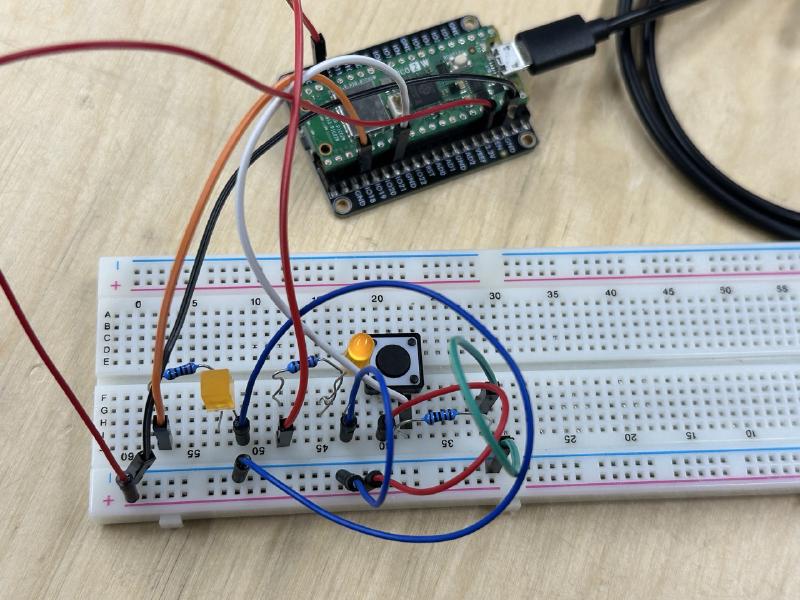
Since toggling between three states in a cycle is very similar to the finite state machines I encountered in my bachelor’s studies in computer science, the overall design of the code was quite straightforward! I defined the three states and their associated LED outputs, and then switched to the next state whenever a button press was registered.
The main challenge was accounting for the uncertainties introduced by the physical characteristics of the button, which I hadn’t considered initially. I began by adding a delay at the end of the main loop to account for jitter when pressing the button. This resulted in code that seemingly worked, but holding the button down meant that the Pico would continue cycling through all states rather than staying fixed :(
I solved this issue by comparing the previous state of the button to the current (next) state, which means that now only the transition from button unpressed -> button pressed actually affects the state. So I can hold down the button as long as I like and nothing unexpected will happen :)
Here is the code I used, along with some comments:
// STATES:
// 0: Both LEDs off
// 1: LED 1 on, LED 2 off
// 2: LED 1 on, LED 2 on
int state = 0;

// Button logic
int buttonValue;
bool prevButtonValue = LOW;
bool newButtonValue;

// Change depending on wiring
int LED1 = 18;
int LED2 = 13;
int BUTTON_IO = 21;

void setup() {
  pinMode(LED1, OUTPUT);
  pinMode(LED2, OUTPUT);
  pinMode(BUTTON_IO, INPUT);
}

void output_state(int state) {
  // Light up LEDs depending on state
  if (state == 0) { // both LEDs off
    digitalWrite(LED1, LOW);
    digitalWrite(LED2, LOW);
  } else if (state == 1) { // one LED on
    digitalWrite(LED1, HIGH);
    digitalWrite(LED2, LOW);
  } else if (state == 2) { // two LEDs on
    digitalWrite(LED1, HIGH);
    digitalWrite(LED2, HIGH);
  }
}

void loop() {

  buttonValue = digitalRead(21);
  newButtonValue = buttonValue;

  // Only increase state counter when button is first pressed down rather than continously checking
  if (newButtonValue != prevButtonValue) {
  if (newButtonValue == HIGH) {
    state++;
    if (state > 2) { // Overflow
      state = 0;
    }
  }
  }
  output_state(state);
  prevButtonValue = newButtonValue;
  delay(50); // prevent jitter
}